
Your contract, computed.
CrewCalc reads the paperwork of a pilot's month — schedules, paystubs, pay registers, trip sheets — and turns it into checkable answers: what a trip pays, what the contract owes, and how much a pairing will really cost you in fatigue.
- Paycheck
- $8,412.60
- Contract owed
- $8,612.44
- Difference
- +$199.84
Trip rig · minimum duty credit
Paste a schedule. Get the whole month.
Trips import from a paste or a screenshot and come back priced — credit, premiums, per diem, guarantees — with the contract rule behind every number. No spreadsheet, no hand math, no guessing which article applies.
Every paycheck, audited.
Import a paystub and CrewCalc reconciles it against what the contract says you earned. Most checks come back clean. The ones that don't come back with the difference circled and the rule that says so.
The contract, as arithmetic.
Pay rules, premium triggers, duty limits, and rig calculations live in CrewCalc as computable rules with citations — written from the contract text and pinned by tests. When the answer matters, you can see exactly which provision produced it.
Fatigue, in numbers.
A bio-mathematical fatigue model scores every trip and duty period, so "that pairing looks brutal" becomes a number you can compare, track, and take into a conversation. Decision support for a professional — never a substitute for a pilot's own judgment.
Encrypted so we can't read it.
Sync between devices is zero-knowledge: your data is encrypted on your device before it leaves, and the server stores only ciphertext. Your pay, your schedule, and your records are not our business — literally.
The real screens.
These screens sequence on their own. Hover one to hold it, click one to see it full size, or step through with the controls.
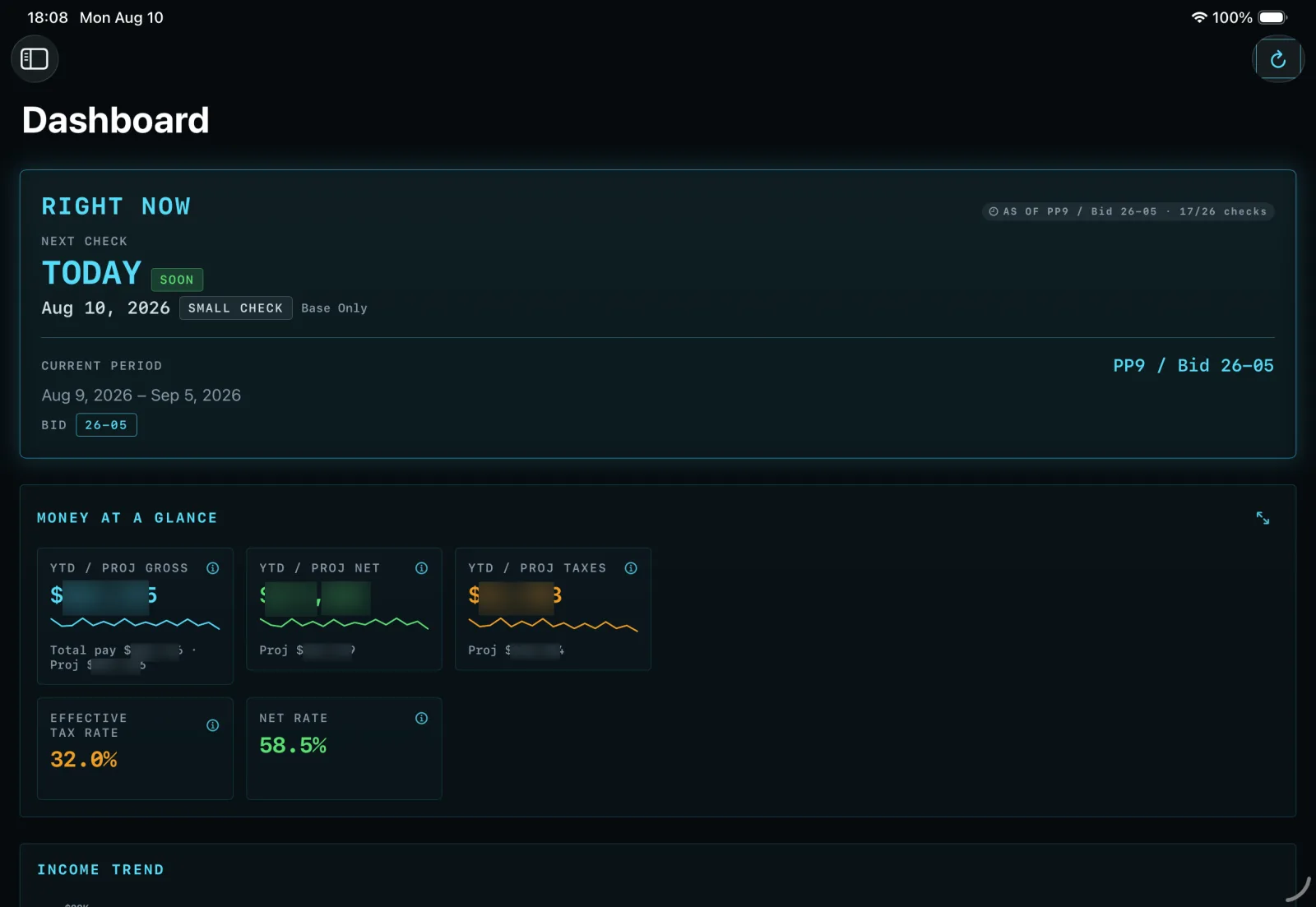
The month at a glance — the next check, the bid period you are actually in, and where the year's gross, net and tax sit against projection.
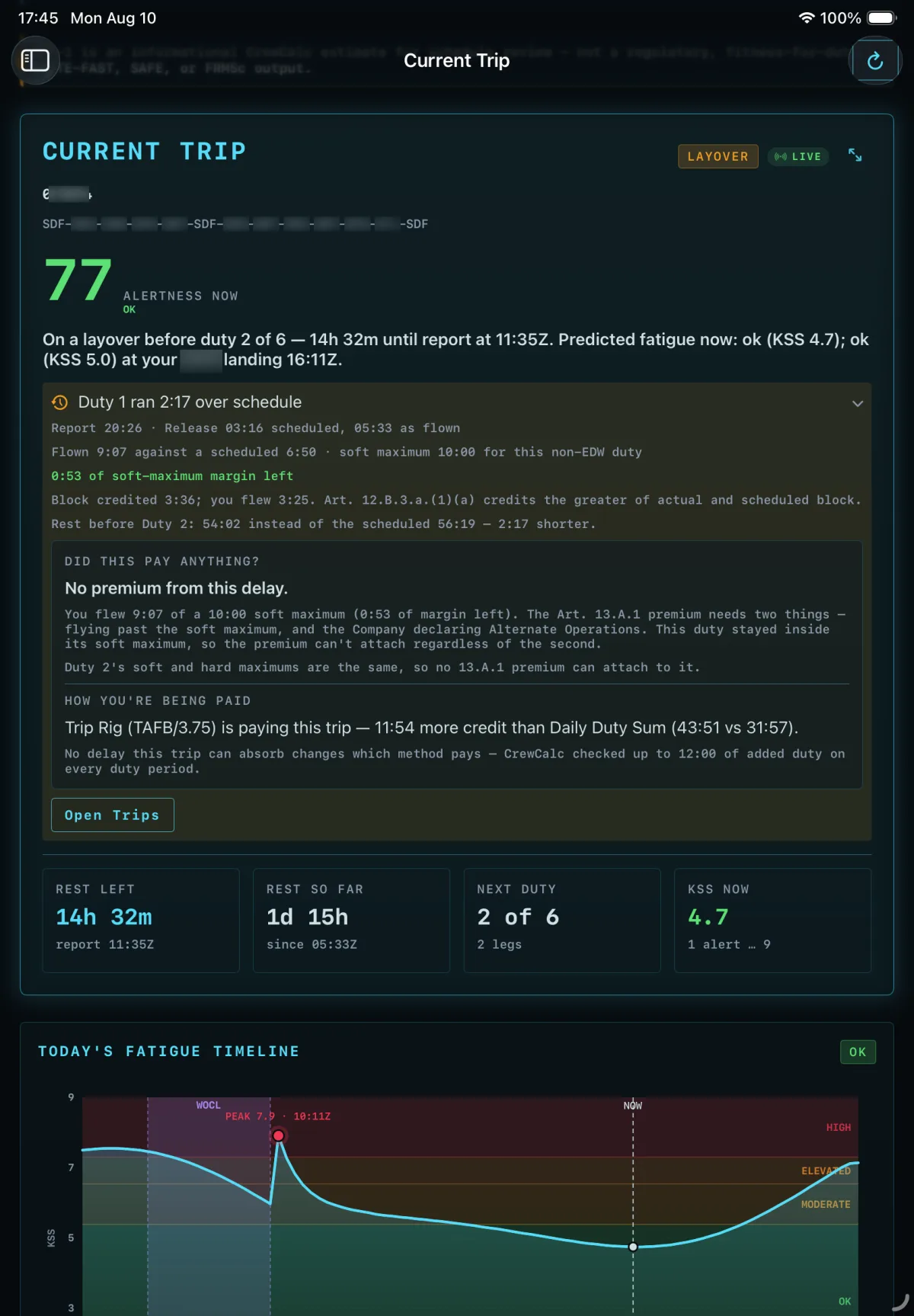
A trip in progress — 2:17 over schedule on duty one, and a straight answer on whether that delay paid anything.
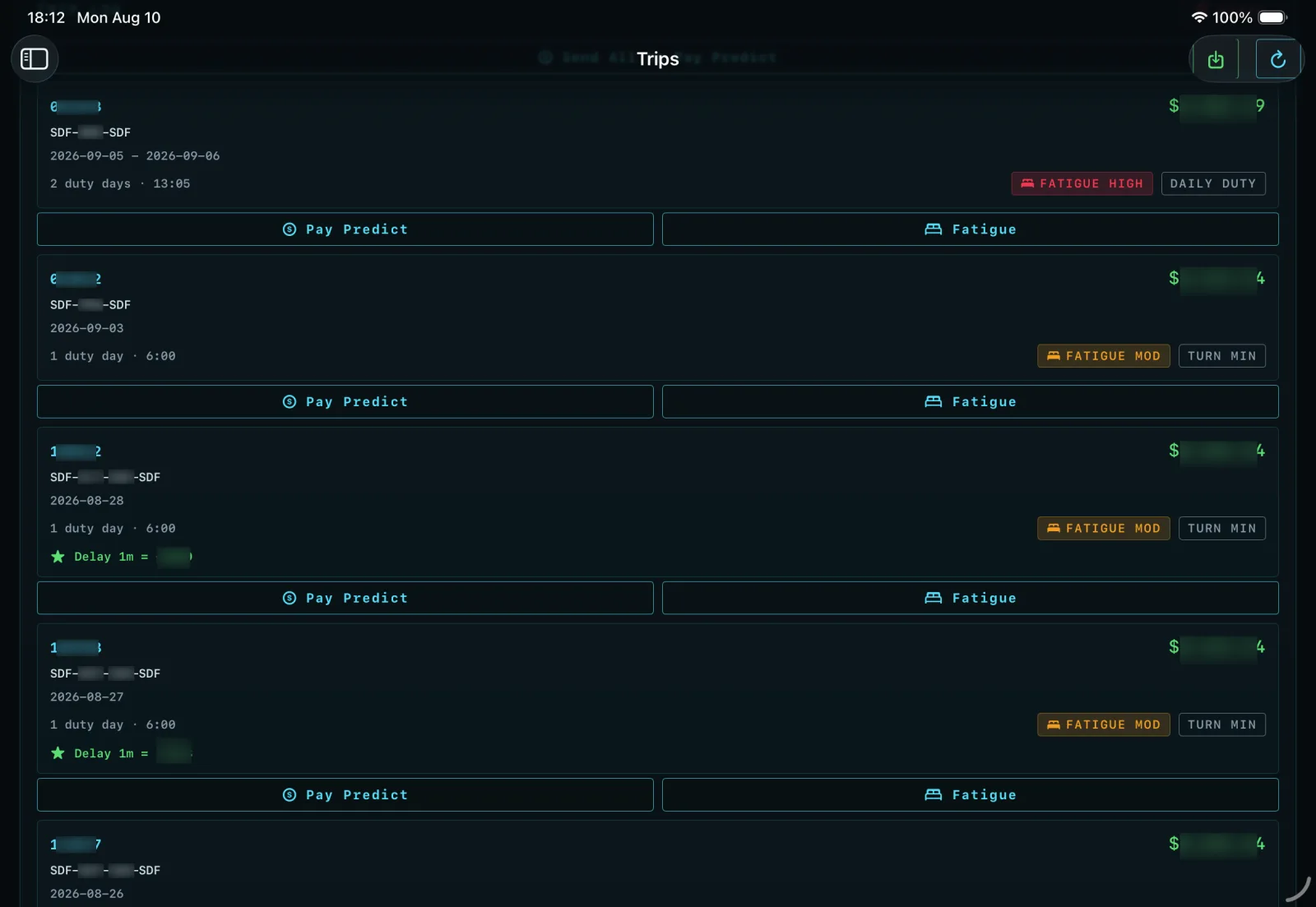
Every saved pairing with what it pays and what it costs you in fatigue, side by side.
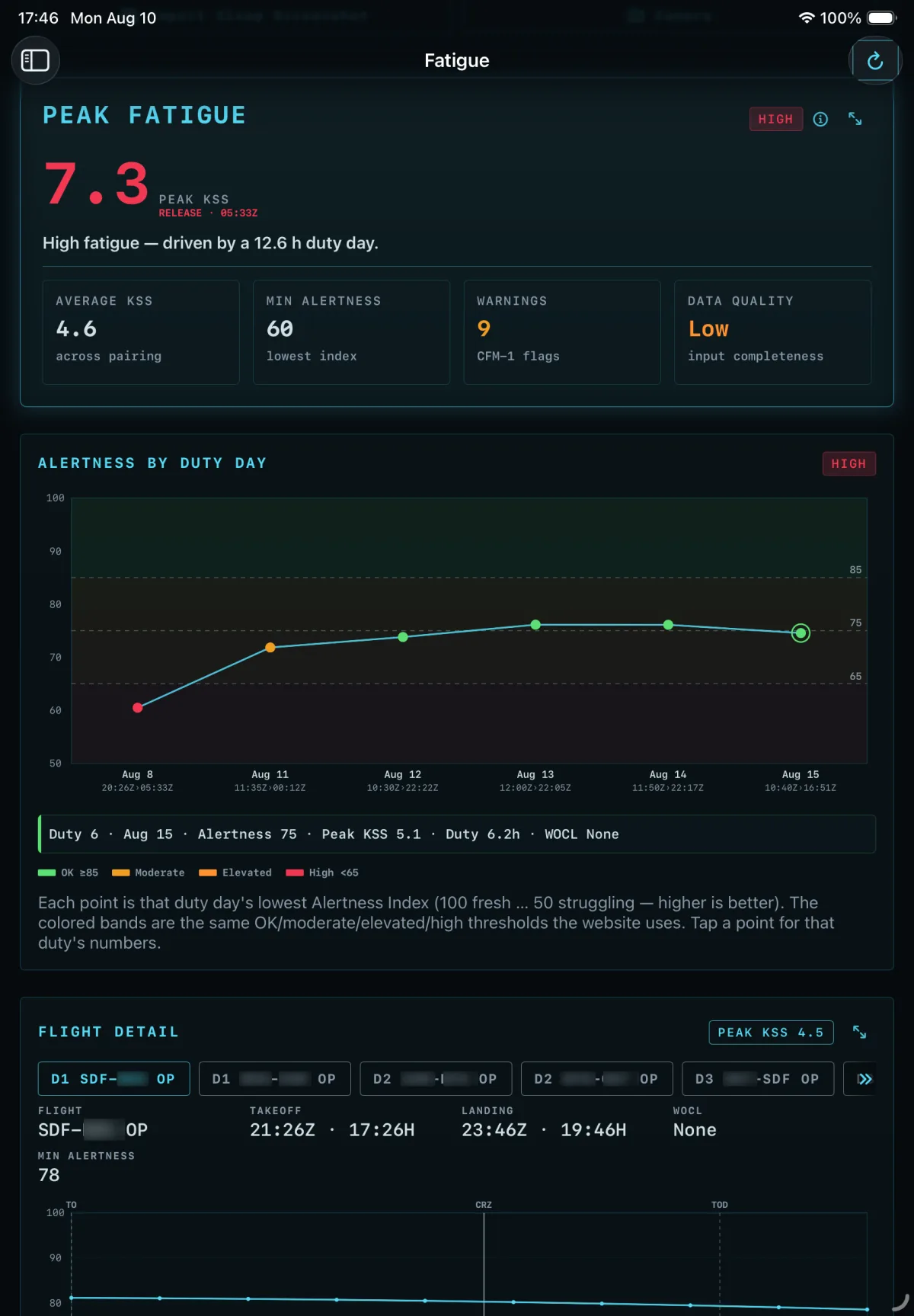
How tiring the trip actually is — a peak score, the duty day that drove it, and the alertness curve underneath.
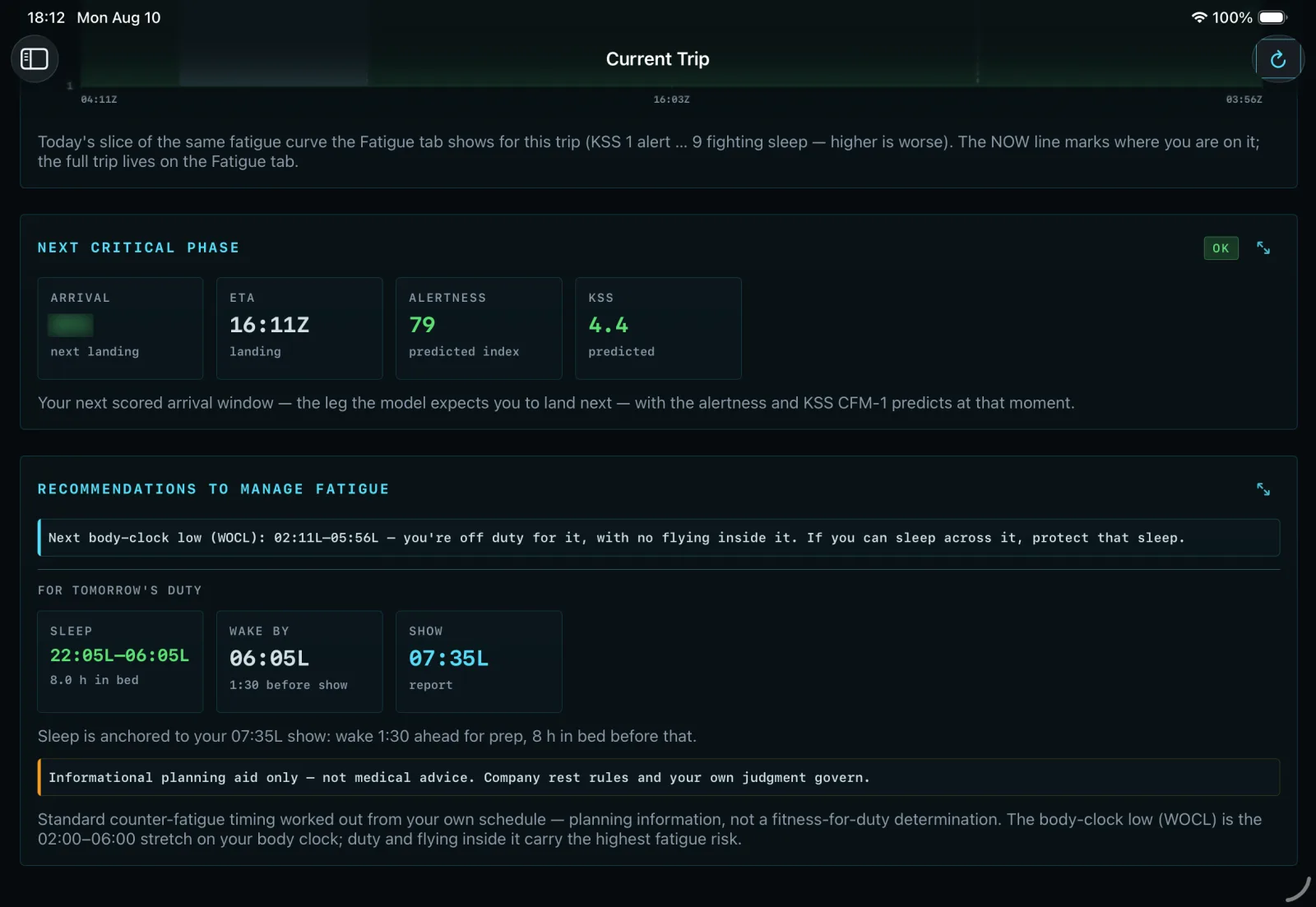
What to do about it — the next body-clock low, and a sleep window worked back from report time.
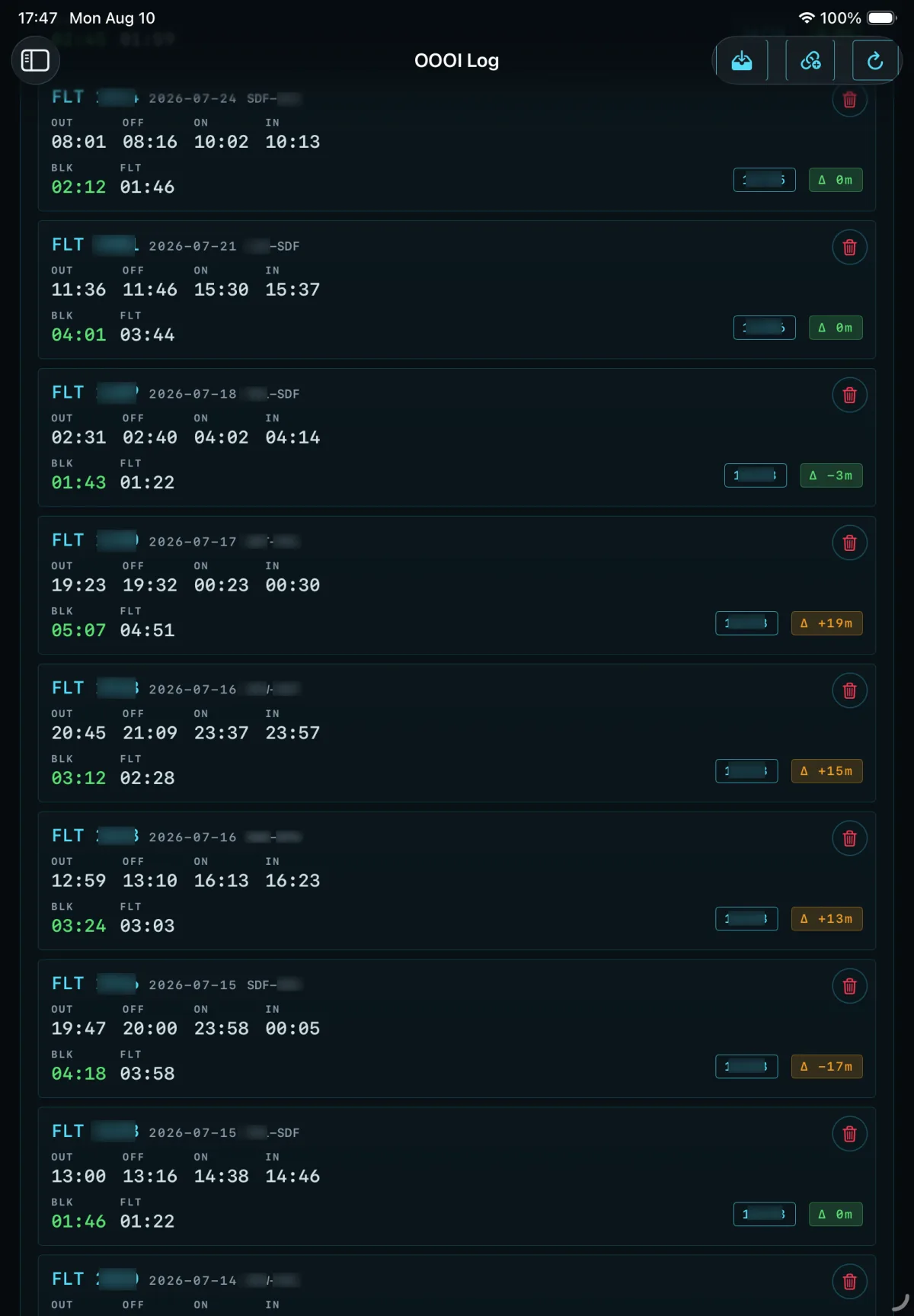
Block time from a photo of the CDU — OUT, OFF, ON and IN parsed per flight, then tied back to the block hours the register actually paid.
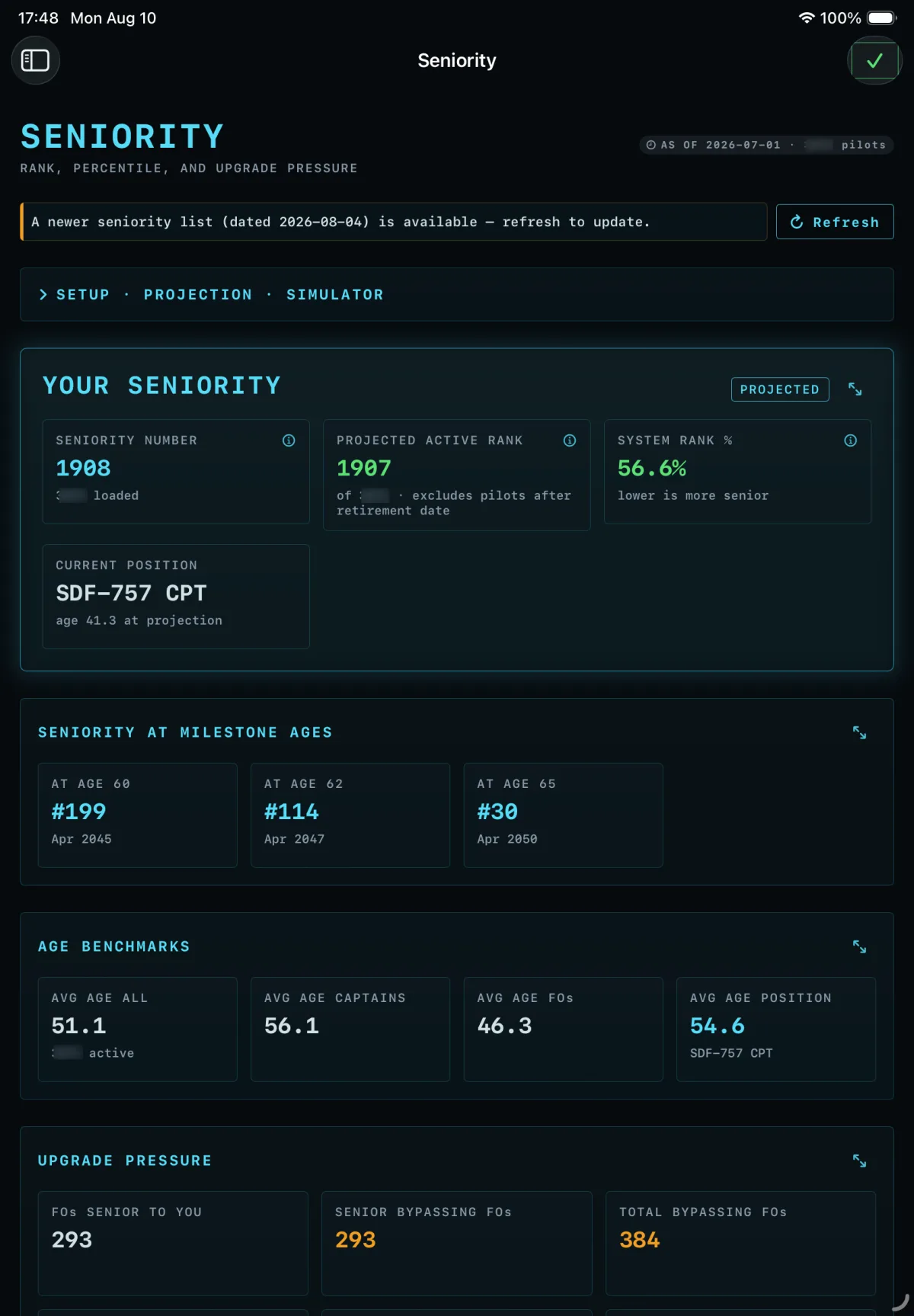
Seniority, projected — rank today, rank at 60, 62 and 65, and the upgrade pressure behind you.
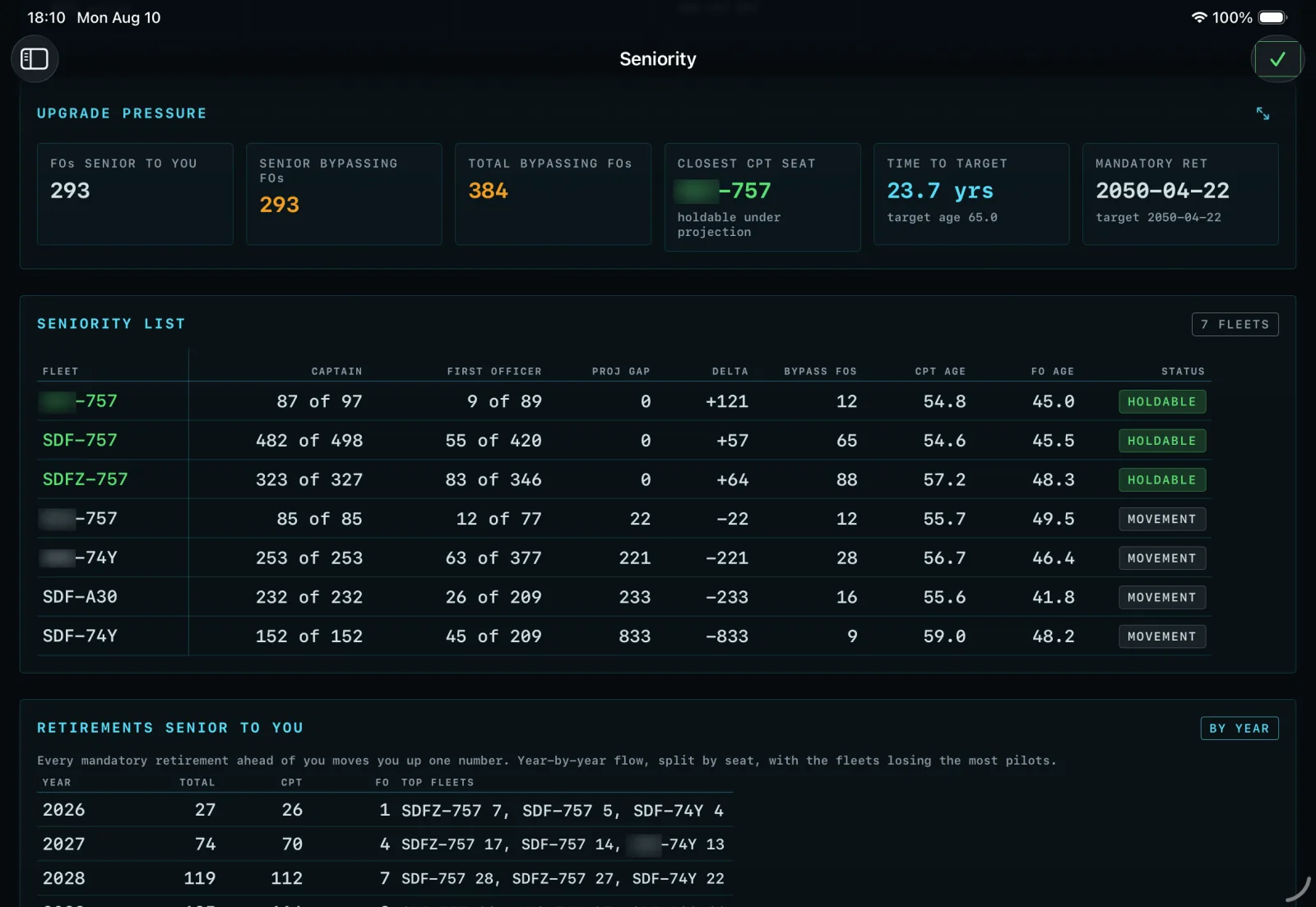
Every fleet at once — where a captain seat is holdable, and how many retirements ahead of you move the number.
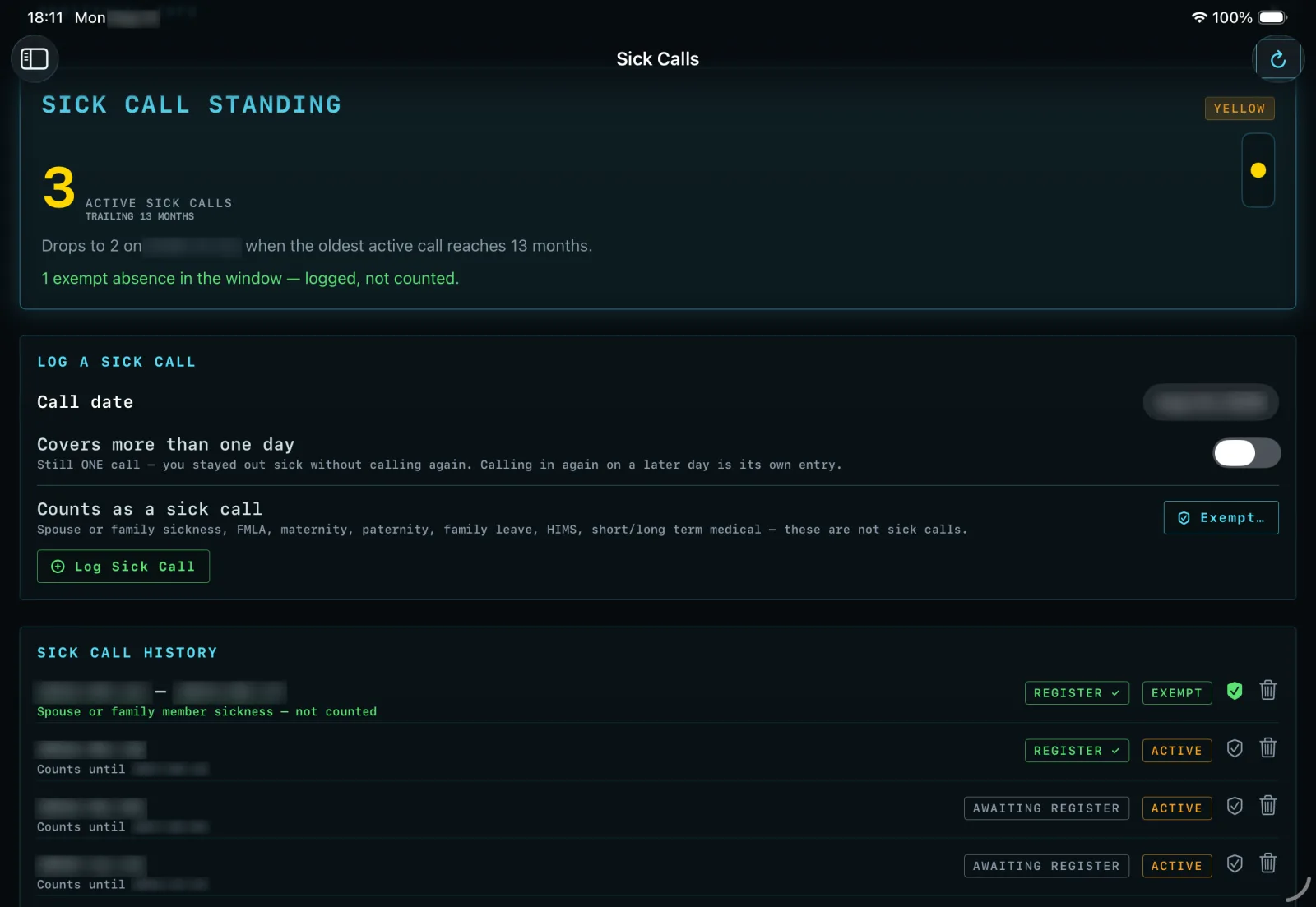
Sick calls on the trailing thirteen months — what is still counting, what drops off when, and what was never a sick call.
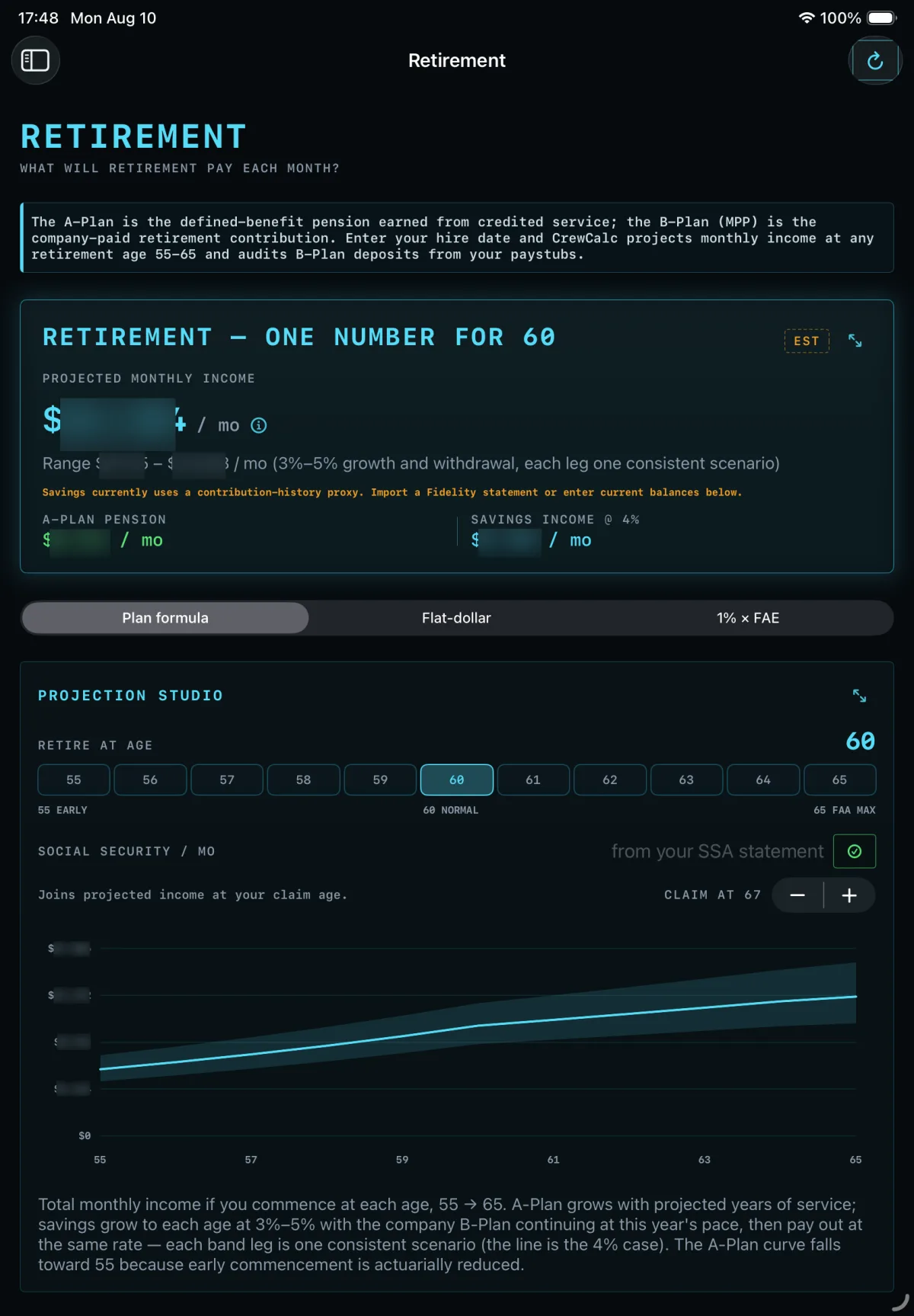
Retirement as one number, then taken apart — pension and savings separated, across every commencement age.
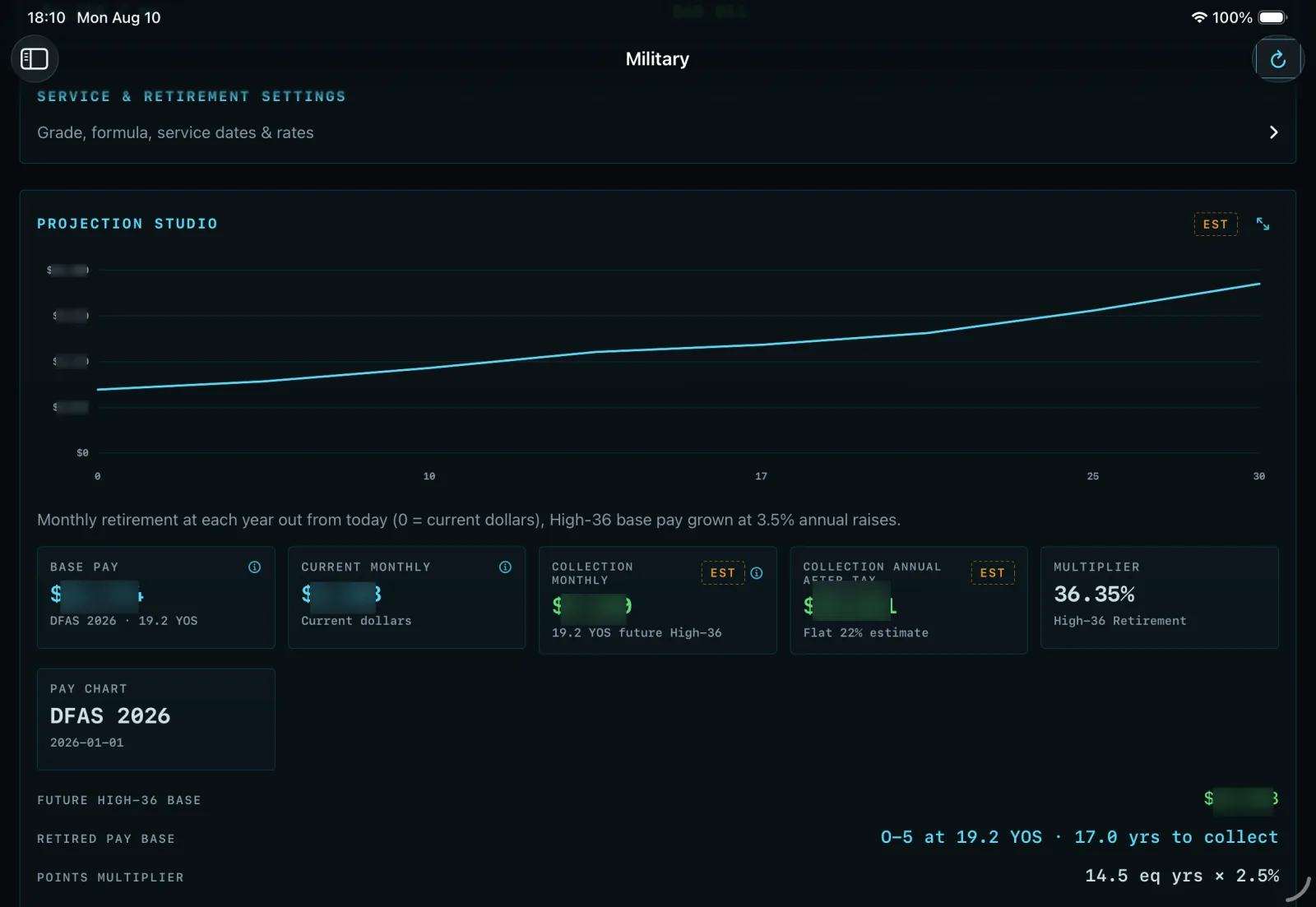
Military service costed the same way — High-36 retired pay projected out year by year.
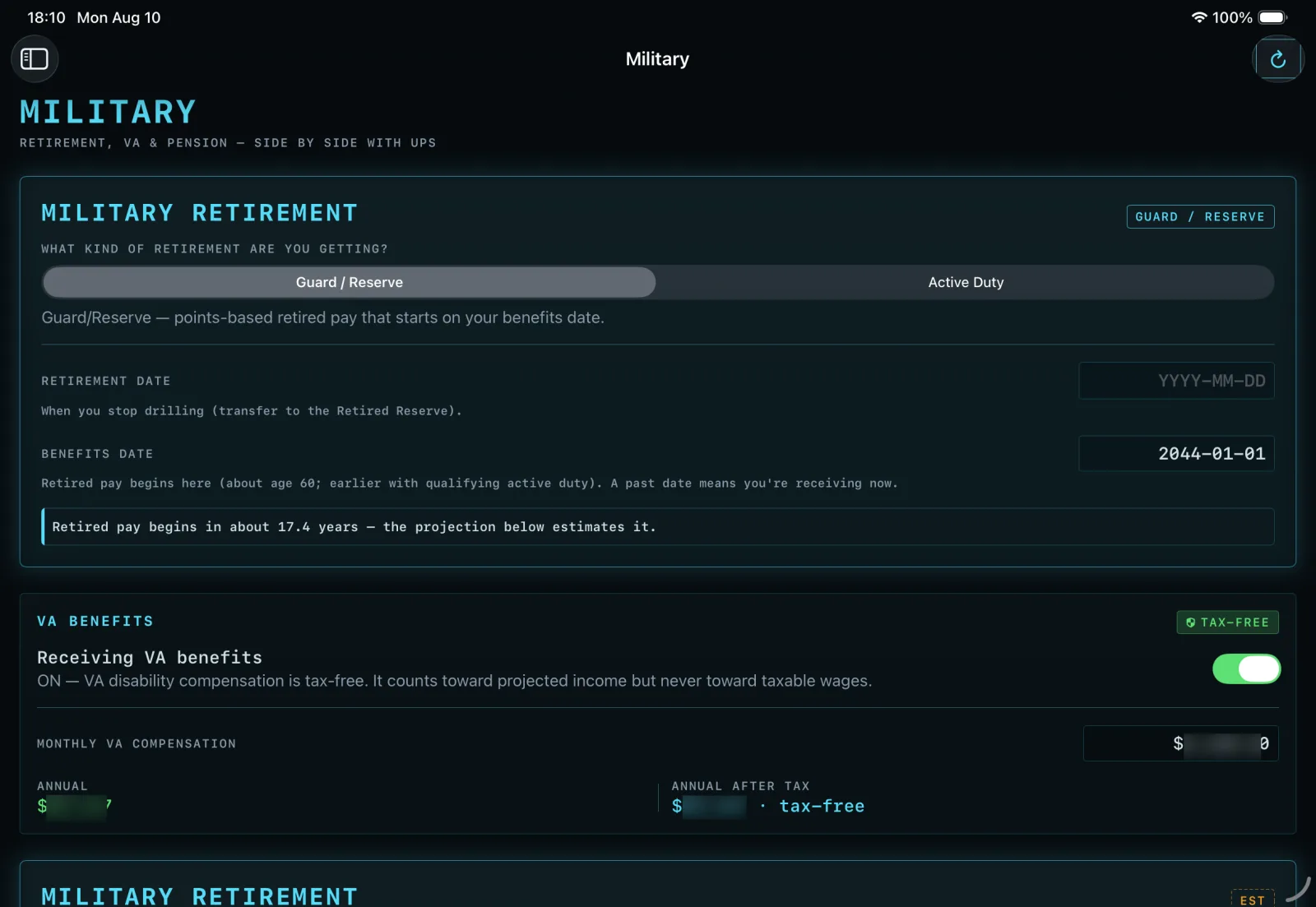
Guard and Reserve retirement, with the date the retired pay actually starts.
Where to get it
CrewCalc is built for a specific pilot group and shared with them directly — you won't find it in general App Store distribution, and that's deliberate. If it sounds like something your operation needs, the conversation below is the front door.
This is also a portfolio piece.
CrewCalc is what happens when a working 767 captain gets tired of doing contract math by hand — and it's a demonstration of the depth Far Horizon Group brings to a workflow: real documents in, checkable answers out, nothing hidden. If your team has a workflow that deserves this treatment, bring it to us.